What Is an llms.txt File? Specification, Structure, and Setup
2026-06-19
TL;DR
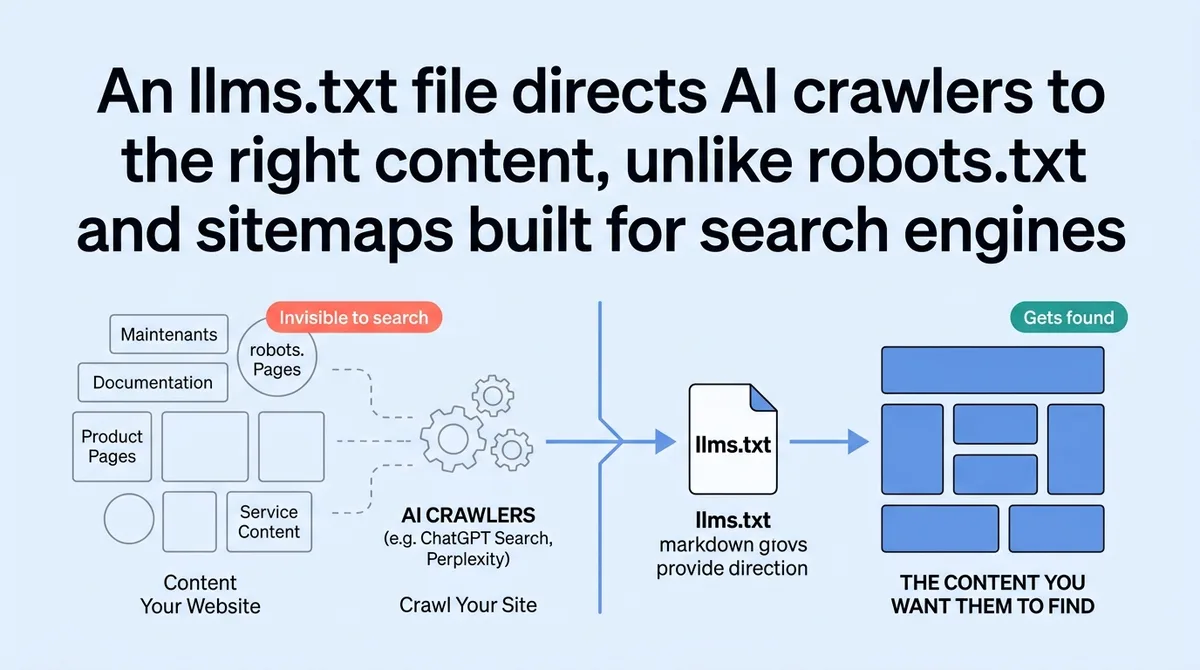
You published documentation, product pages, or service content. AI tools like ChatGPT Search and Perplexity crawl your site anyway. They pull what they find, not what you want them to find.
Most sites rely on robots.txt and sitemaps built for search engine bots. Those files were not designed for AI agents making inference decisions. AI crawlers do not need permission. They need direction.
An llms.txt file is a standardized markdown document placed at your site root. It tells AI systems which pages carry authoritative, indexable content. Proposed by Jeremy Howard in September 2024, the file lives at `/llms.txt` on any domain. CEOs, operations leads, and digital consultants who set this up correctly take under an hour. Those who skip it let AI systems guess, and AI systems guess wrong more often than you want.
* * *
What an llms.txt File Is and Why AI Systems Need It
You are in a product meeting. Someone opens ChatGPT Search and types your company name. The answer that comes back describes a feature you deprecated eight months ago. Nobody flagged it. Nobody knew it was happening. That is the problem this file solves.
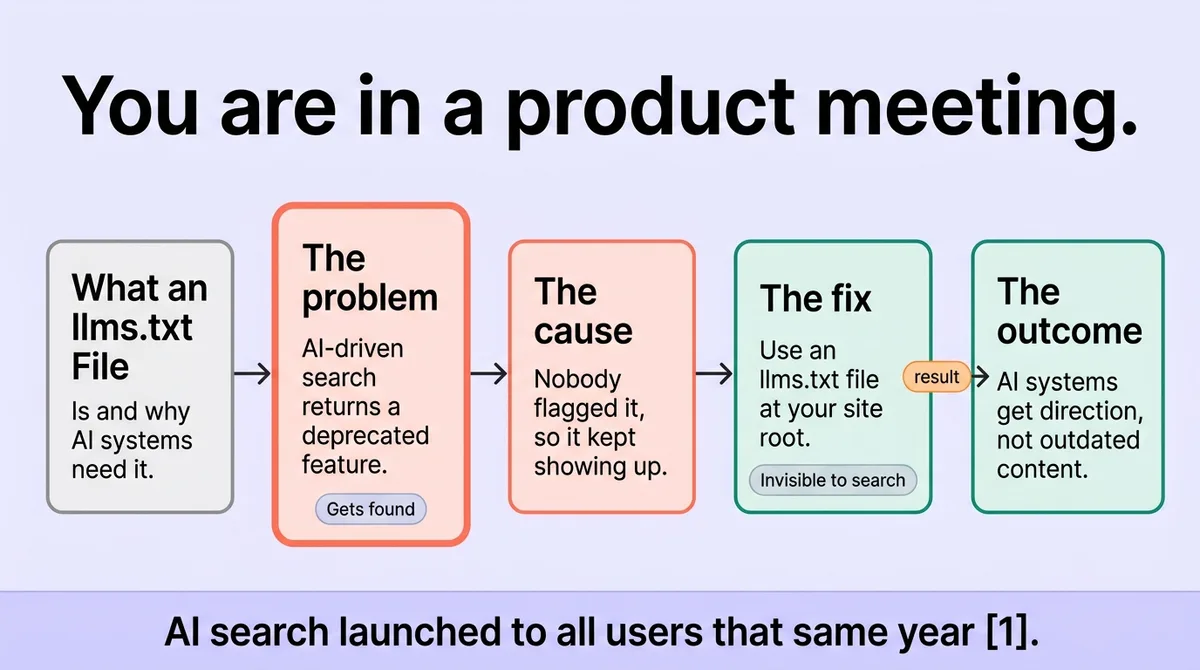
AI-driven search is not a future scenario. Perplexity surpassed 100 million monthly active users in 2025 [\[1\]](#ref-1). ChatGPT Search launched to all users that same year [\[1\]](#ref-1). Google AI Overviews now reaches 2.5 billion monthly users [\[1\]](#ref-1), and Google AI Mode exceeds 1 billion users [\[1\]](#ref-1). These systems pull source content to construct answers. If your site does not tell them what matters, they decide on their own.
Stop assuming AI crawlers read your site the way a human would. Start treating your site's signal layer as infrastructure, not an afterthought.
Over 40% of documentation readers are already AI agents [\[2\]](#ref-2). That number is growing. When an AI agent reads your docs, it is not skimming. It is extracting structured meaning and using it downstream to answer user queries. A missing or disorganized signal file means the agent assembles answers from whatever it finds first, which is rarely your best content.
The llms.txt specification was proposed by Jeremy Howard in September 2024 [\[3\]](#ref-3). It uses standard markdown, requires no server configuration, and adds no crawl overhead. The file sits at your root. AI systems that support the spec check for it. Those that do not are still influenced by the structured content it links to, because that content becomes more crawlable and more consistently formatted.
<table class="border-collapse w-full my-4 table-auto mx-4 max-w-4xl sm:mx-auto" style="min-width: 75px;"><colgroup><col style="min-width: 25px;"><col style="min-width: 25px;"><col style="min-width: 25px;"></colgroup><tbody><tr><th class="border border-border px-4 py-3 bg-muted font-semibold text-left" colspan="1" rowspan="1"><p>AI Platform</p></th><th class="border border-border px-4 py-3 bg-muted font-semibold text-left" colspan="1" rowspan="1"><p>Scale</p></th><th class="border border-border px-4 py-3 bg-muted font-semibold text-left" colspan="1" rowspan="1"><p>Reads Site Content</p></th></tr><tr><td class="border border-border px-4 py-3" colspan="1" rowspan="1"><p>Google AI Overviews</p></td><td class="border border-border px-4 py-3" colspan="1" rowspan="1"><p>2.5B monthly users <a rel="noopener noreferrer nofollow" class="text-primary underline citation-link" href="#ref-1">[1]</a></p></td><td class="border border-border px-4 py-3" colspan="1" rowspan="1"><p>Yes</p></td></tr><tr><td class="border border-border px-4 py-3" colspan="1" rowspan="1"><p>Google AI Mode</p></td><td class="border border-border px-4 py-3" colspan="1" rowspan="1"><p>1B+ users <a rel="noopener noreferrer nofollow" class="text-primary underline citation-link" href="#ref-1">[1]</a></p></td><td class="border border-border px-4 py-3" colspan="1" rowspan="1"><p>Yes</p></td></tr><tr><td class="border border-border px-4 py-3" colspan="1" rowspan="1"><p>ChatGPT Search</p></td><td class="border border-border px-4 py-3" colspan="1" rowspan="1"><p>All users since 2025 <a rel="noopener noreferrer nofollow" class="text-primary underline citation-link" href="#ref-1">[1]</a></p></td><td class="border border-border px-4 py-3" colspan="1" rowspan="1"><p>Yes</p></td></tr><tr><td class="border border-border px-4 py-3" colspan="1" rowspan="1"><p>Perplexity</p></td><td class="border border-border px-4 py-3" colspan="1" rowspan="1"><p>100M+ monthly users <a rel="noopener noreferrer nofollow" class="text-primary underline citation-link" href="#ref-1">[1]</a></p></td><td class="border border-border px-4 py-3" colspan="1" rowspan="1"><p>Yes</p></td></tr></tbody></table>
One directional signal: if AI systems are generating answers about your domain for billions of users, and your domain has no structured guidance file, the accuracy of those answers is outside your control entirely.
* * *
What llms.txt Is Not , and Why Confusing It With robots.txt Causes Real Problems
Here is the false assumption that costs teams time: they hear "a file at your site root that guides crawlers" and assume llms.txt works like robots.txt. It does not.
robots.txt blocks or permits specific crawler access. It is an access control file. If you add a path to robots.txt, you are telling bots whether they can visit it. llms.txt does something structurally different. It curates. It tells AI systems which content carries meaning and which pages provide reliable, current information about your organization.
Sitemap.xml does something different again. It lists URLs for indexing breadth. It does not prioritize. It does not explain context. It does not signal content type or intent.
Mixing up these roles causes real damage. One common mistake: teams add their llms.txt path to robots.txt disallow rules during a site audit, thinking they are tidying up crawler access. They block the one file designed to guide AI agents. The AI system either ignores the domain's guidance layer entirely or falls back to crawling whatever it can reach without direction.
A second mistake: treating llms.txt as a replacement for sitemap.xml and loading it with every URL on the site. The file is not a comprehensive index. It is a priority signal. Crowding it with low-value pages defeats the purpose. AI systems weight the content you list. List noise, and you train them on noise.
The three files serve three distinct functions. robots.txt controls access. sitemap.xml maps breadth. llms.txt signals priority and context for AI-driven inference. Each file occupies its own lane. Running them as interchangeable pieces breaks the guidance system your site needs.
* * *
The Exact Structure of an llms.txt File and How to Build One Step by Step
Open a text editor. You are building a plain markdown file. No special syntax. No CMS plugins required. The structure follows a short, defined order.
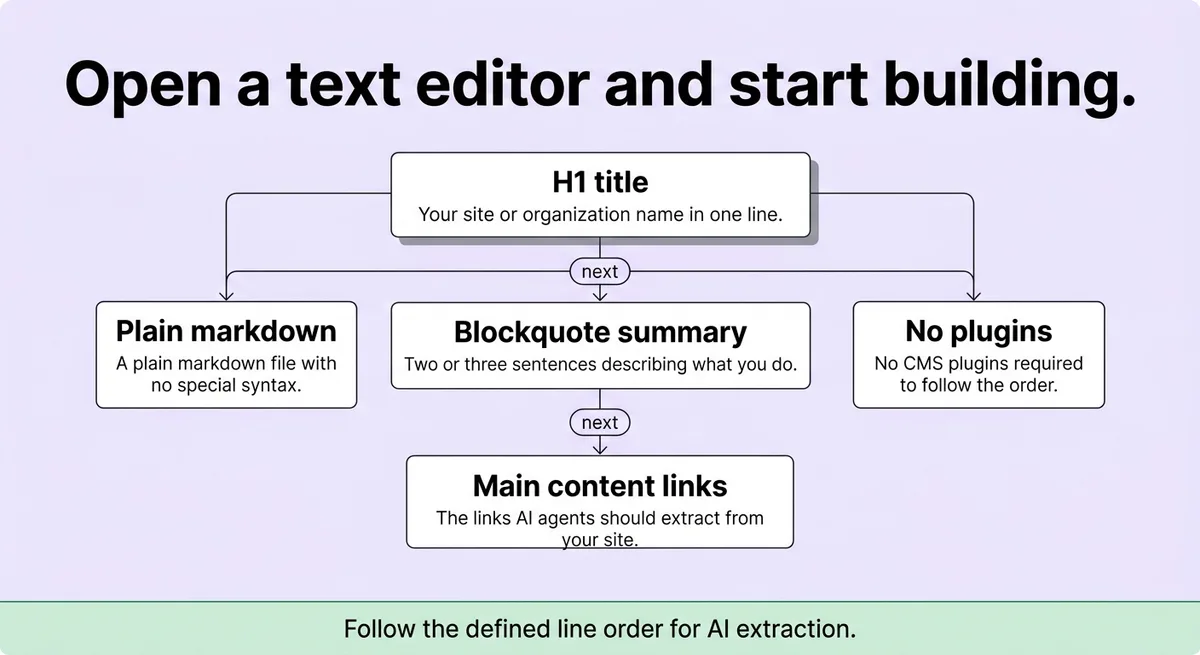
Line 1: H1 title. This is your site or organization name. One line. Example: `# Acme Corp`
Line 2: Blockquote summary. A single blockquote paragraph describing what your site does and who it serves. Keep it to two or three sentences. This is the description AI agents extract first.
Line 3: Main content links. Use a markdown section headed `## Docs` or `## Pages`. List your highest-priority URLs as markdown links with short descriptive labels. These are the pages you want AI systems to treat as canonical.
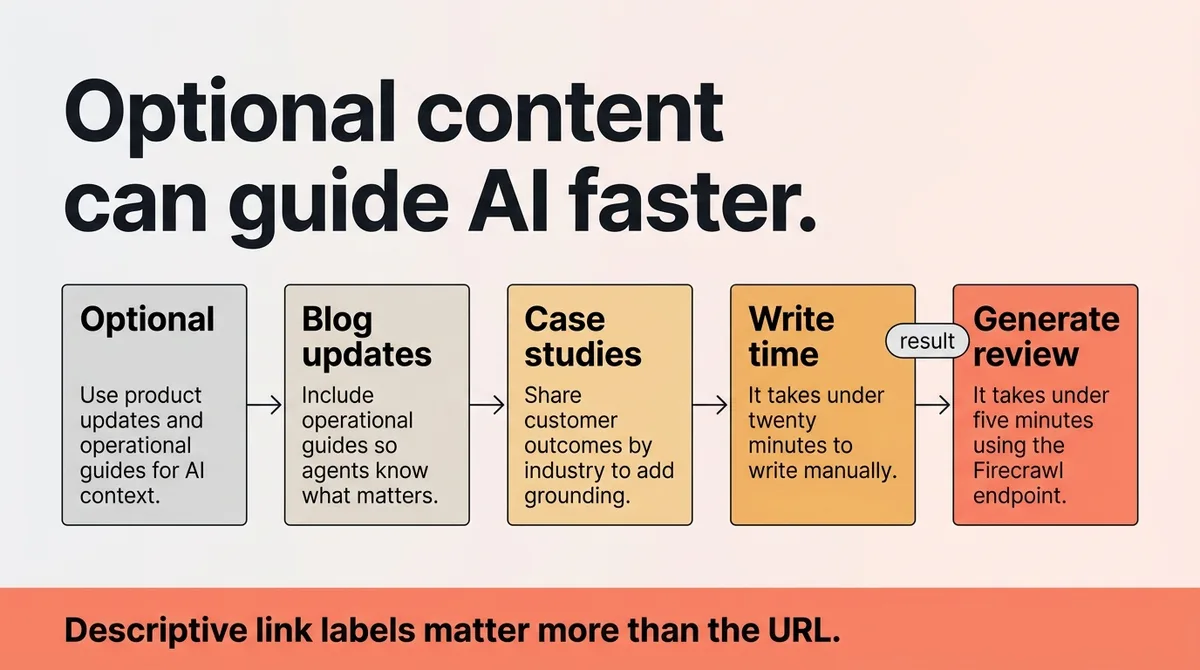
Line 4 (optional): Extended content. Add an `## Optional` section for supporting pages: blog posts, case studies, secondary documentation. AI systems may skip this block under token limits. Put your best content above it.
Line 5 (optional): Exclusions. You can note pages that AI systems should deprioritize. This is not a disallow rule. It is context. Example: `Ignore login pages and internal admin paths.`
The specification was proposed by Jeremy Howard and uses standard markdown formatting throughout. No proprietary syntax exists. The file is human-readable and machine-parseable without any transformation step.
To generate a draft automatically, Firecrawl provides an API endpoint at `https://llmstxt.firecrawl.dev/{YOUR_URL}` [\[1\]](#ref-1). Append `/full` to that base URL for a complete version that includes extended content [\[1\]](#ref-1). The generator runs on gpt-4o-mini [\[1\]](#ref-1). A free API key removes usage limits [\[1\]](#ref-1).
Use the generator as a starting draft, not a final file. Review every URL it outputs. Remove any page that is outdated, behind a login wall, or irrelevant to what AI systems should say about your business.
A correct llms.txt file looks like this:
```markdown # Acme Corp
> Acme Corp builds workflow automation tools for operations teams at mid-size companies. > Our documentation covers setup, integration, and API reference.
Docs
- [Getting Started](https://acmecorp.com/docs/getting-started): Initial setup and account configuration.
- [API Reference](https://acmecorp.com/docs/api): Full endpoint documentation.
- [Integration Guide](https://acmecorp.com/docs/integrations): Connecting third-party tools.
Optional
- [Blog](https://acmecorp.com/blog): Product updates and operational guides. - [Case Studies](https://acmecorp.com/case-studies): Customer outcomes by industry. ```
That file takes under twenty minutes to write manually. It takes under five minutes to generate and review using the Firecrawl endpoint.
One implementation caveat most guides skip: the descriptive label next to each link matters more than the URL itself. AI systems read that label as context. "API Reference: Full endpoint documentation" tells an agent exactly what that page contains. A bare URL or a generic label like "Click here" provides nothing. Write labels as if explaining the page to someone who cannot open it.
* * *
Where to Place It, How to Validate It, and What to Update When Your Site Changes
Place the file at `yourdomain.com/llms.txt`. No subdirectory. No subdomain. The root path is the specification requirement, and deviation means most AI systems will not find it during a standard check.
Once uploaded, validate it by opening the URL directly in a browser. Confirm the file renders as plain text. Confirm all linked URLs return a 200 status. A broken link in your llms.txt file does not just fail quietly. It tells an AI system that your curated content list contains dead ends, which degrades trust in the file overall.
Google added llms.txt to Chrome Lighthouse audits in May 2026 [\[1\]](#ref-1). That addition made validation a built-in step for any team running standard site audits. Run a Lighthouse check after publishing your file. The audit flags missing files, malformed structure, and broken references. Fix every flag before considering the setup complete.
The file needs updates whenever your site changes. This is the maintenance habit most teams skip. They publish a correct llms.txt file and walk away. Six months later, the site has a new product section, three deprecated pages still listed in the file, and two renamed URLs that now 404. The AI systems reading that file are working from stale data.
Build a simple trigger: any time your site navigation changes, any time you publish a new docs section, or any time you retire a page, update the llms.txt file the same day. Treat it the same way you treat a sitemap update. It belongs in the same deployment checklist.
A documentation team at a 60-person SaaS company ran a Lighthouse audit after their quarterly site refresh. The audit flagged four broken links in their llms.txt file, three pointing to pages consolidated under a new URL structure. They corrected the file in under fifteen minutes. AI-sourced answers about their product stopped referencing the old integration page within two weeks of the correction.
Stop treating this file as a one-time setup task. Start treating it as a living document tied directly to your site structure.
* * *
How One Root-Level File Shapes Every AI Answer About Your Site
Every AI system generating answers about your business works from source material. That material comes from your site. What it finds, what it weights, and what it surfaces to users depends on the signals your site provides.
An llms.txt file at your root is the clearest signal available. It does not require a platform change. It does not require a technical team. It requires a text editor, twenty minutes, and a maintenance habit.
The specification proposed by Jeremy Howard in September 2024 [\[3\]](#ref-3) gave the web a shared format for this signal. Over 40% of documentation traffic now comes from AI agents [\[2\]](#ref-2). That share will grow. The sites with accurate, current llms.txt files will be the ones AI systems quote accurately. The sites without them get quoted from whatever fragment an AI agent finds first.
One root-level file, maintained correctly, is the difference between AI systems describing your business accurately and AI systems describing a version of your business that no longer exists.
Place the file. Validate the links. Update it when your site changes. That is the complete system.
* * *
References and Citations
[\[1\]](#ref-1) [https://www.firecrawl.dev/blog/How-to-Create-an-llms-txt-File-for-Any-Website](https://www.firecrawl.dev/blog/How-to-Create-an-llms-txt-File-for-Any-Website)
[\[2\]](#ref-2) [https://www.gitbook.com/blog/what-is-llms-txt](https://www.gitbook.com/blog/what-is-llms-txt)
[\[3\]](#ref-3) [https://alimbekov.com/en/what-is-an-llms-txt-file-structure-of-llms-txt-file/](https://alimbekov.com/en/what-is-an-llms-txt-file-structure-of-llms-txt-file/)